
6 min read
NetSuite Project Recovery: How to Rescue a Failing NetSuite Implementation
Is your NetSuite implementation jeopardizing your quarter‑end close, audit readiness, or executive credibility? That’s not paranoia,...
12 min read

NetSuite change management and governance matter most after an account starts carrying real operational weight: custom workflows, approval logic, integrations, role changes, and financial configuration that affects how transactions move through the business. At that point, a weak change management process stops being an admin nuisance and becomes a business risk.
In Uptime Institute’s 2025 outage analysis, 85% of major human error-related outages were tied to staff failing to follow procedures or to flaws in the procedures themselves. In a NetSuite environment, the same pattern often shows up as rushed production edits, unclear ownership, incomplete testing, weak rollback planning, and approvals that cannot be reconstructed later.
Strong governance ensures configuration changes, customization, and deployment decisions move through the right owners, the right sandbox checks, and the right evidence path before they reach production.
This guide covers:
Which changes need tighter approvals, testing, rollback plans, and release gates first
How sandbox, SDF, and segregation of duties reduce risky production edits consistently
What owners, approvers, and auditors should see before deploying changes to NetSuite?
P.S. Strong governance is easier to sustain when implementation choices, configuration design, and release controls are aligned early. Kimberlite Partners helps companies connect NetSuite implementation planning with practical ownership, testing, and approval discipline.
Book a call to evaluate your current control model and isolate the gaps most likely to create audit friction or unstable deployments.
|
Policy |
What To Do |
|---|---|
|
Classify changes by risk and scope |
Separate standard, normal, major, and emergency changes so approvals, testing depth, and release timing match the real impact of the change. |
|
Require complete change requests |
Do not approve work without the business purpose, affected records, dependency notes, test owner, rollback plan, and named approvers. |
|
Separate build, test, approve, and deploy duties |
Prevent one person from making changes, approving them, and moving them to production without an independent check. |
|
Test every material change in the sandbox |
Run realistic workflow, role, integration, and reporting tests in a sandbox before deploying changes to production. |
|
Control deployments with SDF and version history |
Use SuiteCloud Development Framework, source control, and release packaging so the team can trace what changed and when. |
|
Escalate financially sensitive changes |
Route changes to approvals, roles, revenue management, and key financial workflows through control owners, not just technical reviewers. |
|
Limit emergency changes and review them after release |
Allow fast action only for true incidents, then require retrospective review, evidence capture, and mitigation to stop repeat exceptions. |
Most NetSuite teams do not struggle because they lack a policy document. They struggle because the actual change process is inconsistent once requests pile up, stakeholders push for speed, and multiple workstreams touch the same records or workflow logic. That is where audit friction, deployment failures, and risky production edits start to show up.
A few clear policies in place help your team decide faster, test better, and keep a cleaner record of what changed and why. These seven policies do most of the practical work.
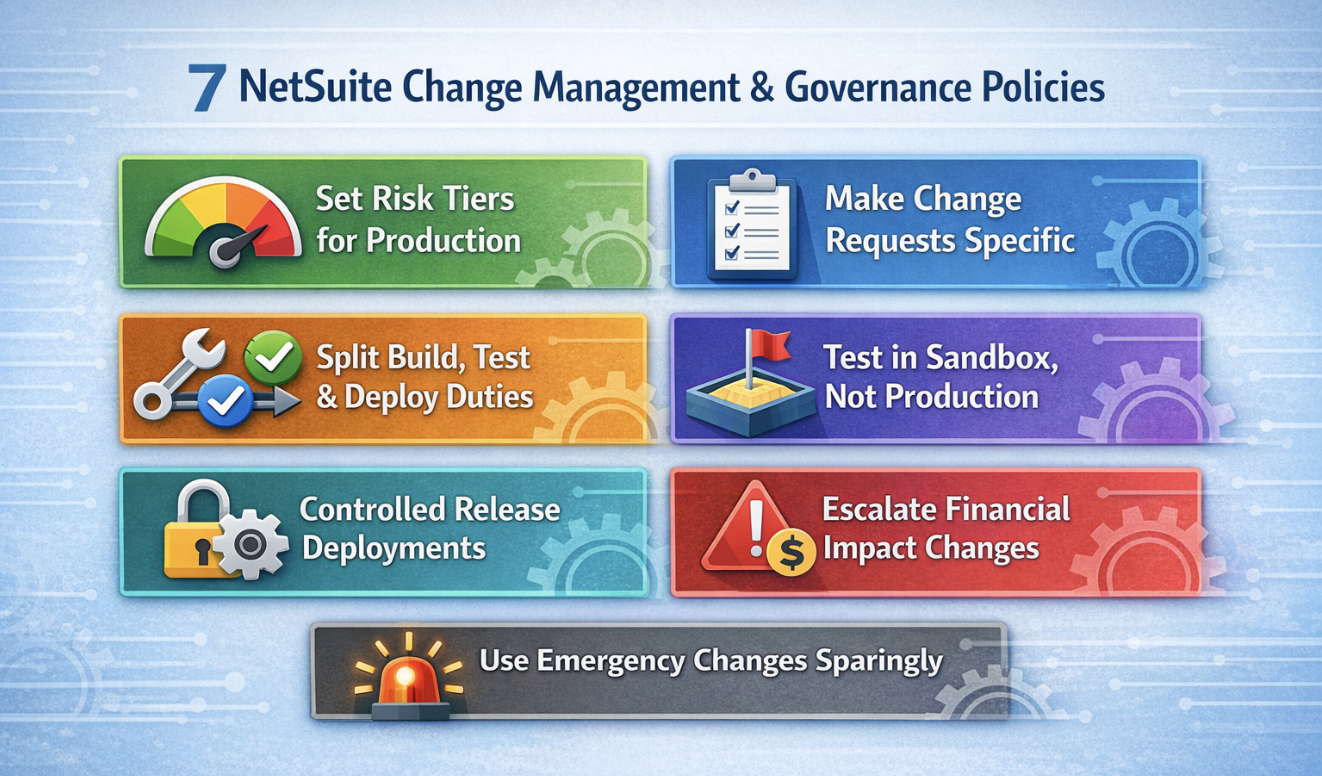
A useful change management strategy starts with one simple premise: not every NetSuite change deserves the same route. A field label edit, a role permission update, an integration mapping change, and a revenue management rule adjustment do not carry the same risk. If you treat them the same, you either over-control low-risk work or under-control the changes that can affect financial results, access, or approvals.
|
Change Class |
Typical Examples Within NetSuite |
Required Evidence |
Approval Standard |
|---|---|---|---|
|
Standard Change |
Pre-approved low-risk tasks, such as scheduled script parameter updates or controlled form text edits |
Ticket, named executor, date, validation note |
Pre-approved policy plus operational owner awareness |
|
Normal Change |
Configuration changes, saved search edits, routine workflow updates, and field additions using custom records |
Change request, sandbox test result, dependency review, rollback note |
Business owner and system owner approval |
|
Major Change |
Changes to integrations, approval logic, roles, deployment packages, revenue management rules, or shared workflow logic |
Full impact assessment, test script results, release plan, post-deploy validation checklist |
Cross-functional approval with control owner sign-off |
|
Emergency Change |
Production break-fix, security exposure, failed deployment recovery, urgent compliance correction |
Incident reference, reason for fast path, immediate validation, retrospective review record |
Temporary emergency approval followed by formal review |
This policy is where you define the impact of the change in business terms, not just technical ones. If an approval workflow changes, who can release the spend? If a role changes, who can edit or approve transactions? If an integration changes, what downstream system or report may break? Those are the questions that make classification useful.
Weak approvals usually start with weak requests. If the change request says only “update workflow” or “fix script,” nobody reviewing it can tell whether the work is routine, risky, incomplete, or poorly scoped. A strong approval path depends on enough detail to make a real decision.
Business Reason: State the process problem being solved, the stakeholder asking for the change, and why the current setup is failing.
Objects Affected: Name the exact workflow, script deployment, custom record, field, role, saved search, form, or integration component involved.
Impact Review: Explain which users, records, approval steps, reports, or connected systems may be affected.
Test Plan: Record where the change will be tested, who owns testing, and what business outcome needs to pass.
Rollback Steps: Specify how the team will reverse the change if production behavior is wrong.
Approval Path: Identify the business owner, system owner, and control owner when the change touches sensitive areas.
This does not need to become a long essay. It just needs to be clear enough that someone else can approve it intelligently and revisit it later without guessing what happened. That is one of the benefits of change management in NetSuite ERP. Better requests create better decisions upstream, before rework and audit questions pile up.
Segregation of duties matters just as much in NetSuite change control as it does in transaction processing. If one person can make changes, approve them, validate them, and deploy them, the process may move quickly, but the control model is weak. That is especially true for changes to approvals, user access, integrations, posting behavior, and other areas with risk and compliance exposure.
In larger teams, the split is straightforward: one person builds, another tests, a business owner approves, and a designated release owner deploys. In leaner teams, the same separation is harder, but the principle still holds. If you cannot separate every step, add compensating controls. That may mean requiring a finance owner to review evidence for changes to key financial workflows, or requiring another admin to verify that production matches the approved configuration.
This is also where NetSuite change management differs from broader organizational change. Change management focuses on people readiness, stakeholder communication, and training, which still matters. But within NetSuite, you also need a tighter operational control layer around who can make changes and who can authorize them.
Sandbox testing is where a change management process proves whether it is real or just procedural. If material changes are still being tested in production, the rest of the governance model is already compromised. The point of a sandbox is not only to catch technical errors. It is to confirm how the workflow, approval logic, integration behavior, and user experience will work before live users feel the impact.
Test The Real Scenario: Use realistic records, roles, approval thresholds, and transaction flows instead of isolated technical checks.
Check Dependencies: Review related scripts, forms, saved searches, integrations, and configurations that could react differently after deployment.
Validate Business Outcomes: Confirm not only that the change works, but that it produces the intended operational result.
Capture Named Sign-Off: Record who tested, what passed, what failed, and whether the business owner accepted the result.
Use Full Regression When Needed: If the change affects shared workflow logic, posting logic, or key integrations, test beyond the immediate object.
Treat the sandbox as part of your SDLC and software development lifecycle, not as a casual staging area. That mindset matters once your NetSuite environment starts carrying more customization, more automation, and more deployment dependency across teams.
Read Next: NetSuite Sandbox vs. Production Environment: Are You Testing the Right Way?
A lot of change management trouble shows up late, during deployment. The request may be documented. The testing may be complete. The approvals may be in place. Then the release itself happens through manual steps, undocumented copy work, or loosely managed production edits. That is where clean governance can still break down.
SuiteCloud Development Framework gives teams a more controlled way to package and deploy supported objects. SDF does not solve every problem, and it does not cover every account-level preference or every dependency perfectly. But it usually creates a stronger release process than rebuilding changes manually or relying on memory. It also fits better with DevOps practices, source control, and version history.
Release control should answer a few basic questions before anything moves: what is being deployed, which version was approved, what depends on it, what happens if it fails, and who validates production afterward? Once those answers are standard, deploying changes becomes easier to review and easier to recover.
Some changes deserve extra scrutiny because their blast radius is larger. That includes changes to approvals, roles, posting logic, revenue management, integration mappings that feed financial reporting, and configuration changes tied to key financial controls. These are not routine admin edits. They can affect how transactions are approved, how data enters the ERP, and what evidence an auditor sees later.
The right approach is to route these items to control owners, not just technical reviewers. If a workflow changes who can approve vendor bills, finance should sign off. If a role change affects who can create or release transactions, access ownership should review it. If an integration changes how data enters NetSuite ERP, the team should confirm its effect on reconciliation, monitoring, and reporting.
This is where strong compliance gets practical. An auditor rarely cares that a team “manages change” in the abstract. The real question is whether the company can show why a sensitive change was made, who approved it, where it was tested, and how production behavior was validated.
Emergency change exists for a reason. Systems break, integrations fail, and high-priority fixes sometimes cannot wait for the normal release window. The problem starts when “emergency” becomes a habit instead of an exception. At that point, speed is doing the work that governance should be doing.
A workable emergency change policy is usually short. Define what qualifies. Limit who can approve it. Require a quick production validation. Then complete a retrospective review within a fixed window. That review should answer three questions: was the emergency label justified, what risk remains, and what should change so the same situation does not keep recurring?
If emergency volume keeps rising, the issue is usually not the emergency process itself. It is poor planning, weak readiness, unclear ownership, or a deployment model that makes normal changes harder than they should be.
Policy is only the starting point. Governance holds when ownership is clear, the evidence chain is easy to follow, and exceptions are visible before they become routine. In most NetSuite environments, the real drag comes from the gap between formal policy and daily practice.
That is why effective change management needs an operating model. People need to know who manages change intake, who reviews business impact, who approves risk, and who signs off after deployment. Without that, even good policies turn into inconsistent judgment calls.
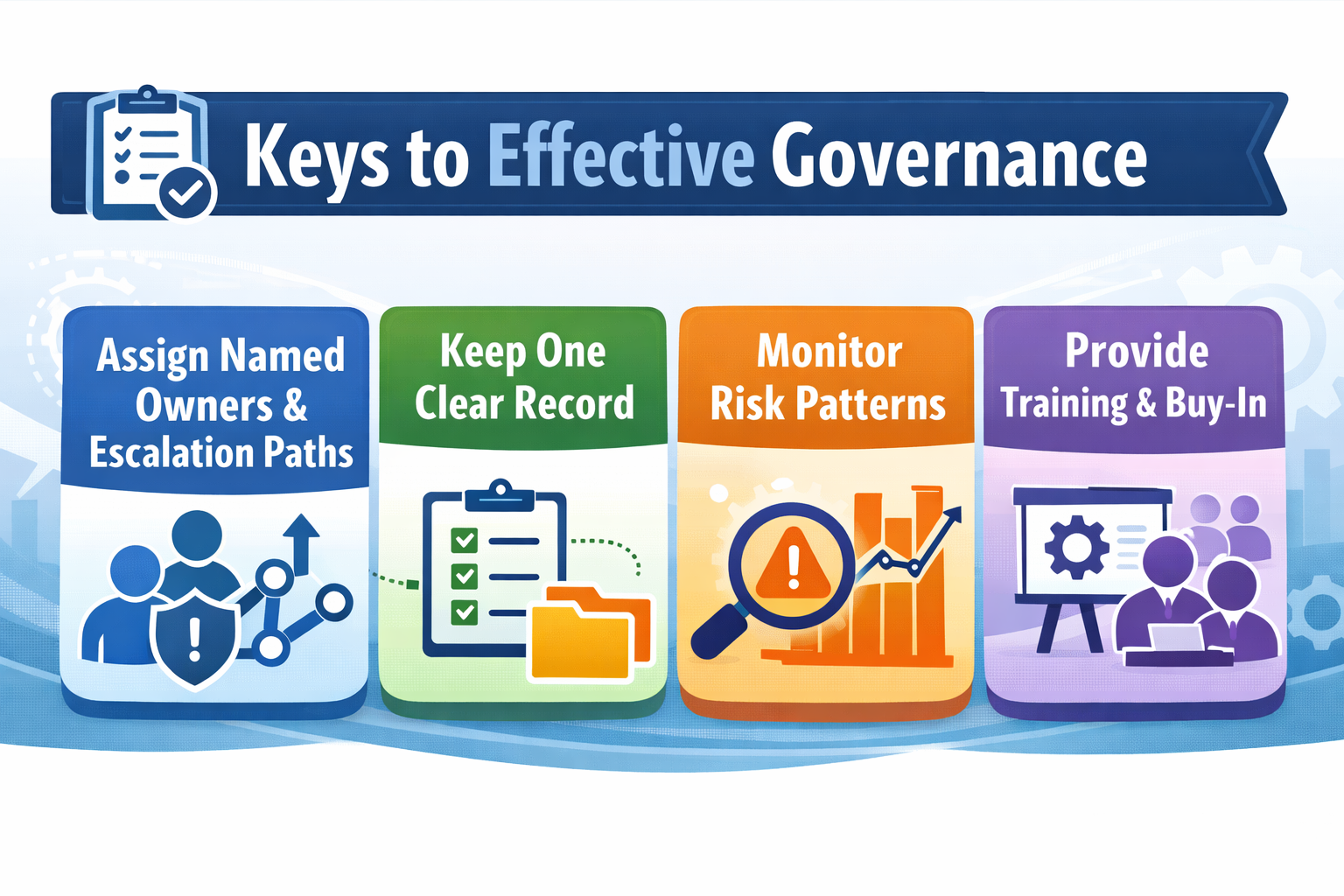
Shared accountability sounds collaborative, but in change control, it usually creates delay and confusion. Someone needs to own the intake process. Someone needs to approve the business impact. Someone needs to handle escalation when a stakeholder pushes for a shortcut or a release window becomes contested.
A practical model often includes a system owner, a business process owner, a technical lead, and a control owner for higher-risk changes. Emergency paths should also name who can authorize fast action and who must be notified immediately afterward. Once those roles are clear, the workflow becomes easier to automate and easier to enforce.
Ownership also reduces one of the most common sources of audit friction: unclear responsibility for changes that were visible to everyone, but owned by no one.
Most teams do not fail because they have no evidence. They fail because the evidence is scattered. The request sits in one tool, approvals in another, testing in screenshots, deployment notes in chat, and production validation in someone’s memory. That makes audit review harder and incident diagnosis slower.
Start With One Change ID: Use a single reference that links the request, approvals, testing, deployment, and post-release validation.
Attach The Actual Objects: Include workflow names, script files, role IDs, custom records, forms, searches, and integration components.
Link Testing To Approval: Make sure approvers can see what was tested, by whom, and with what result.
Record The Release Event: Capture who deployed, when it happened, and what production checks were completed.
Log Exceptions: If approvals were conditional, tests were incomplete, or an emergency change was used, capture that clearly.
Some teams use ticketing tools, some use custom records, and some combine both. The important point is not the tool. It is whether someone can reconstruct the change process quickly and confidently.
Good governance is less about catching every small mistake and more about spotting recurring patterns early. A few metrics and review points usually tell you whether the process is holding or slipping.
|
What To Watch |
What It Usually Signals |
What To Review |
|---|---|---|
|
Rising emergency changes |
Weak planning, low readiness, or release bottlenecks |
Request quality, release windows, and unresolved recurring defects |
|
Production edits outside the process |
Workarounds or weak enforcement |
Object history, approver involvement, and direct admin activity |
|
Repeated deployment failures |
Poor testing, packaging issues, or hidden dependency |
Sandbox coverage, SDF use, and rollback preparation |
|
Sensitive changes with thin evidence |
Approval shortcuts in high-risk areas |
Finance sign-off, access review, testing completeness |
|
Frequent approval delays |
Unclear ownership or overloaded reviewers |
Escalation paths, risk classification, approval thresholds |
A monthly review cadence is often enough for most teams. Around quarter close, major deployment windows, or implementation of new integrations, you may need a tighter rhythm. What matters is that monitoring and reporting stay focused on the few indicators that reveal weak governance early.
Technical governance still has an organizational side. If stakeholders do not understand why the process exists, they will try to route around it. If approvers do not know what they are reviewing, they will rubber-stamp requests. If admins and developers see the process as pure overhead, they will avoid it whenever timelines tighten.
That is why successful change management still needs a lightweight training program and a clear change management strategy. Keep it role-specific. Show approvers what a complete change request looks like. Show technical owners when SDF, sandbox, and rollback planning are required. Show business stakeholders how stronger intake reduces rework and failed deployments.
This is also where companies that use NetSuite for finance-heavy, integration-heavy, or compliance-sensitive operations gain the most from better alignment. When implementation, configuration, testing, and control design are considered together from the start, the governance model is much easier to manage later.
Read Next: Is Your NetSuite Implementation Missing a Change Management Plan?
NetSuite provides useful building blocks for change control. System notes, role-based permissions, approval workflow, sandbox environments, and SuiteCloud tools all help. They improve visibility and support safer deployment. But they do not create a complete governance model on their own.
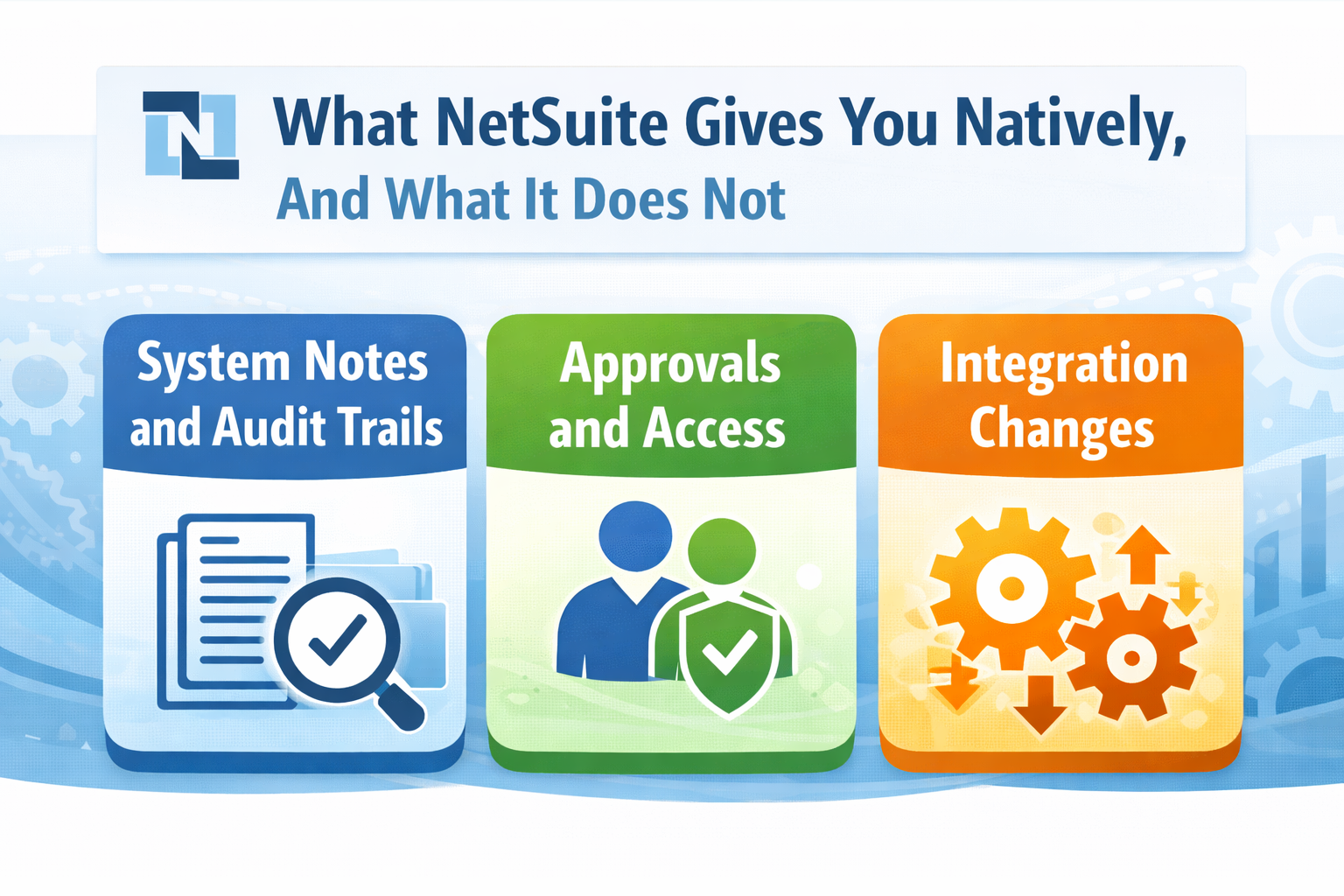
System notes and audit trails are useful, but they do not always tell the full story behind a customization or deployment decision. They may show that a record or object changed, but not the business reason, the testing performed, the approval path, or whether the production result was reviewed. That is why native controls need to be paired with process discipline.
The same limitation applies to approvals and access. NetSuite can automate approval routing and enforce role permissions, but it cannot decide whether your approval thresholds are appropriate, whether segregation of duties is being respected, or whether direct production edits are still happening around the process. Those are governance questions, not just platform settings.
Integration is another area where native control has limits. A stable workflow inside NetSuite can still create problems if an external system changes payload structure, authentication, timing, or error handling. That is why NetSuite change management should include integration owners, dependency review, and post-deploy validation for connected systems.
For teams operating in environments audited to SOC 1 Type II, SOC 2 Type II, PCI DSS, or ISO-aligned control frameworks, this distinction matters. Native features support control. They do not replace the policies and processes that show how the business manages change.
Read Next:
NetSuite Security Best Practices: Protect Your ERP Data
Connecting NetSuite ERP to Your Tech Stack: Best Practices for NetSuite Integration
The point of NetSuite change management and governance is to reduce the expensive failures that come from weak ownership, thin approvals, rushed testing, and production moves that are hard to explain after the fact. Once your NetSuite environment supports core finance, workflow automation, and integration-heavy operations, good intentions are not enough. You need a change process that makes risk visible before the release, not after it.
Start with Risk Tiers: Define which changes are standard, normal, major, and emergency so review depth stays consistent.
Tighten The Record: Link the change request, sandbox results, approvals, deployment record, and post-release validation.
Prioritize High-Impact Areas: Review approvals, roles, revenue management, and integration changes before lower-risk admin work.
Kimberlite Partners supports companies that need a clearer view of configuration risk, workflow complexity, support gaps, and control weaknesses in a live account through its NetSuite Health Check. Book a call to review your change controls, reduce audit friction, and make future NetSuite releases easier to manage.
Change management is the structured approach used to plan, communicate, approve, implement, and sustain change. In a NetSuite environment, this includes the people side of organizational change and the control side of making configuration, workflow, integration, and customization changes safely. Both matter, but they solve different problems.
Different frameworks define the 5 C's in different ways, so there is no single standard version. In practice, NetSuite teams usually need five core elements regardless of the model: clear ownership, clear communication, change classification, control evidence, and confirmation through testing and review. Without those, the process often looks formal but behaves inconsistently.
This wording is commonly used to describe broad stages such as preparation, planning, stakeholder alignment, communication, training, implementation, and reinforcement. Those stages are useful for organizational change. In NetSuite, they should also be paired with technical controls such as sandbox testing, approval routing, release governance, and post-deployment validation.
Search results often describe strategic, structural, process, and people-related change as four broad types. For NetSuite change control, a more useful operational model is standard, normal, major, and emergency change because those categories directly shape approvals, testing, and deployment requirements.
The exact wording varies by framework, but the recurring steps usually include assessment, planning, stakeholder support, communication, training, implementation, and reinforcement. In a NetSuite environment, those steps work best when they are tied to practical control points such as change requests, testing evidence, approval records, rollback planning, and release validation.
The Seven R's of change management are often used to assess a proposed change before approval. They usually cover who raised the change, the reason for it, the expected return, the risks, the resources required, who is responsible, and how the change relates to other work. In NetSuite, those questions help surface dependency, ownership, and readiness before the team implements the change.

6 min read
Is your NetSuite implementation jeopardizing your quarter‑end close, audit readiness, or executive credibility? That’s not paranoia,...

Implementing NetSuite ERP isn’t just a software upgrade. It’s a high-stakes, enterprise-wide transformation. If you’re a CFO, IT leader, or project...

NetSuite security needs regular review because the platform centralizes financial data, business workflows, user permissions, scripts, and...