
NetSuite Security Best Practices: Protect Your ERP Data
68% of data breaches stem from human error, compromised credentials, or insufficient access controls. For organizations relying on NetSuite, this...
20 min read

NetSuite security needs regular review because the platform centralizes financial data, business workflows, user permissions, scripts, and integration access in one environment.
Verizon’s 2024 DBIR found that 68% of data breaches stem from human error, compromised credentials, or insufficient access controls rather than software flaws, which makes access governance, credential security, and permission design especially important in ERP environments.
In 2026, the NetSuite ERP security review should include role structure, authentication settings, script permissions, integration access, and any older control patterns that no longer match current security expectations.
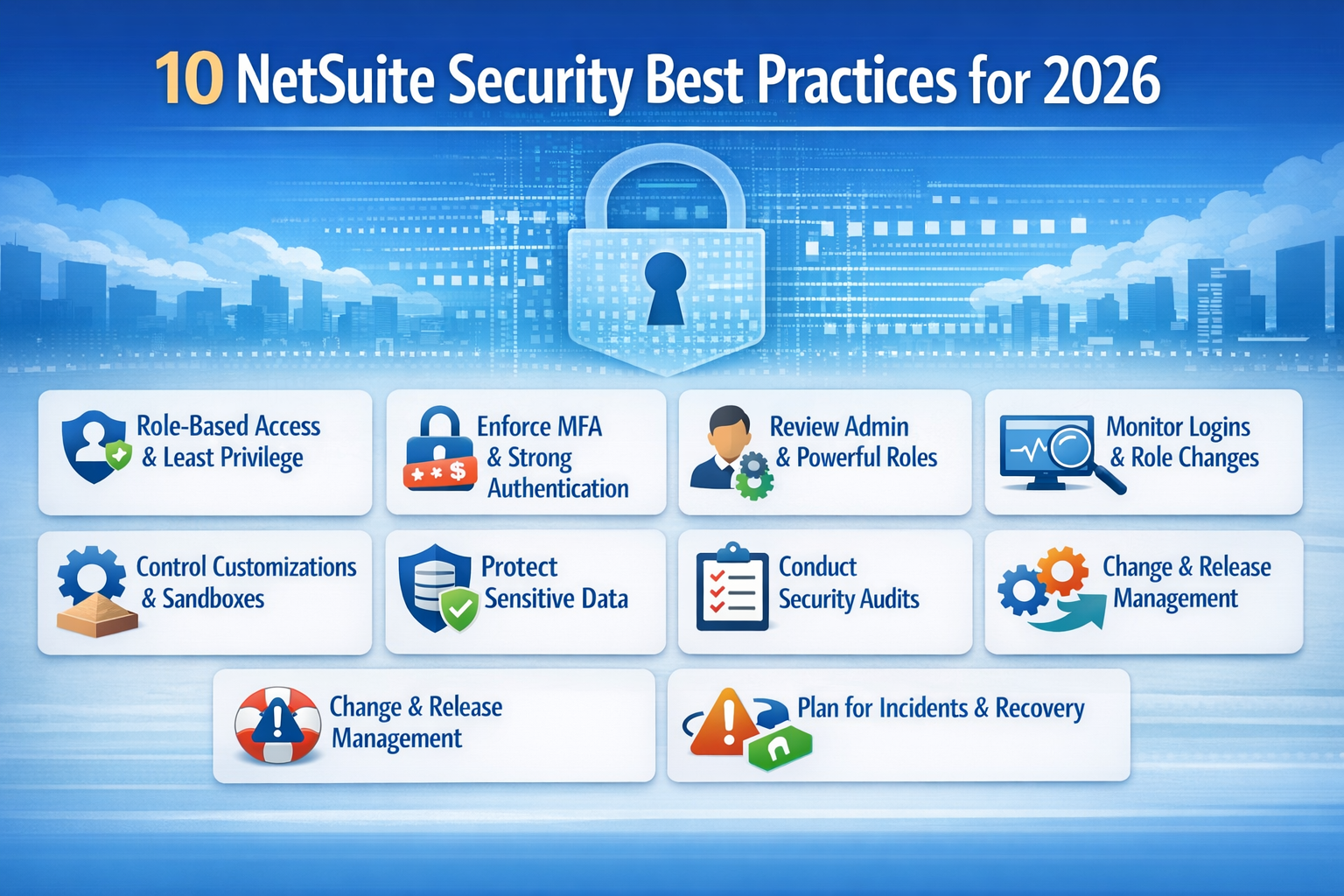
This guide covers:
P.S. Kimberlite Partners supports NetSuite security reviews through NetSuite Health Check and NetSuite Managed Services, which cover configuration review, remediation planning, and ongoing security follow-through.
Schedule a free consultation to review your NetSuite security posture before the next audit or production release.
| Best Practice | What To Check In The NetSuite Environment |
|---|---|
| Role-Based Access And Least Privilege | Review the role-permission matrix, active user list, user-to-role report, and approval delegation list. Remove expired project access, broad export rights, and permissions unrelated to the job. |
| MFA, SSO, And Password Controls | Verify which roles require MFA, which users authenticate through SSO, how password rules are configured, and how authenticator resets are approved. Check the failed login report and lockout settings. |
| Administrator And Powerful Roles | Confirm every admin, full-access custom role, and emergency account has a named owner, business reason, approval record, and next review date. Remove temporary elevation that survived testing or cutover. |
| Monitoring And Audit Review | Use login exception reports, system notes, role change logs, and privileged activity reviews on a fixed cadence. Assign owners, thresholds, and response steps for each alert type. |
| Integration And Token Security | Maintain a token inventory, interface diagram, endpoint owner list, and authentication method register. Review older SOAP use, API role scope, IP restrictions, and middleware error handling. |
| Customization And Release Control | Check the script inventory, sandbox test results, deployment log, change ticket, and sign-off record for every change affecting approvals, record visibility, or external data movement. |
| Sensitive Data Protection And Retention | Map where sensitive data is stored, which roles can export it, what encryption and retention rules apply, and how files, saved searches, and attachments are |
Oracle NetSuite provides the platform security baseline, including built-in and infrastructure security features such as encryption, role-based permissions, password and authentication controls, multi-factor authentication, and audit capabilities. Oracle also maintains security safeguards for the cloud service environment.
These protections are important, but they do not define the full security posture of a live NetSuite account. Your team still controls access to NetSuite, role-based access control, the principle of least privilege, approval permissions, saved search visibility, file access, customization, and integration scope.
Day-to-day security exposure is shaped by control decisions inside the account. Role design, approval permissions, saved search visibility, token scope, script behavior, file access, and integration ownership all affect how much data users and connected systems can access. A weak role, an unmanaged token, or an unreviewed production script change can expose sensitive data even when the underlying platform remains stable.
A NetSuite Health Check is a practical way to review roles, integrations, workflows, customizations, and audit evidence in one cycle. NetSuite Support Services and NetSuite Managed Services are better suited to ongoing security oversight, release review, remediation follow-through, and control monitoring after the initial findings are identified.
NetSuite security in 2026 requires more than baseline platform trust. The strongest security posture comes from regular review of the controls your team manages inside the account, including user access, authentication, integrations, customizations, monitoring, and production change practices.
Role-based access control determines what each NetSuite user can view, create, edit, approve, export, and administer. Least-privilege review works when permissions stay aligned with current responsibilities, so access should be removed as soon as the underlying task no longer belongs to that role. Users who no longer enter vendor bills should not keep vendor bill entry rights, and managers who only review transactions should not keep edit access they no longer need.
Start by reviewing the role-permission matrix, user-to-role assignments, the active employee list, and any approval delegation records. From there, check transaction permissions, setup permissions, employee access, subsidiary and department restrictions, saved search access, file cabinet access, and CSV export rights, then compare each role against the work it supports today. Every elevated permission should map to a defined business task, a named approver, and a recent review date.
The same standard should carry across individual roles. An AP clerk may need to create vendor bills, view vendor records, and attach supporting documents, but that role should not usually include the ability to change vendor bank details, reopen closed periods, or approve payment runs.
Similarly, the sales operations role may need to update quotes, maintain customer records, and change order status, but it should not usually include journal entry creation, subsidiary-level setup changes, or access to payroll-related fields. When a single role covers all of those actions, access has already expanded beyond business need.
Temporary project access needs the same scrutiny. Access granted for testing, cutover, audit support, or troubleshooting should be reviewed against the grant date, approver, business reason, and expiry date so short-term exceptions do not stay in place long after the work is finished.
Authentication settings need regular review because one weak login path can bypass stronger controls elsewhere in the account. NetSuite supports multi-factor authentication, password controls, and token-based application authentication, but those controls only help when teams review how they are configured, which users or roles are exempt, and how access is restored after lockouts or device loss.
MFA Coverage: Review the role list and confirm which roles require MFA. Include administrators, finance approvers, payroll-related roles, integration administrators, and any role with broad setup or export access.
Authentication Method Register: Document how each user group signs in, whether through native NetSuite login, SSO, or another approved identity path. This helps identify unmanaged exceptions created by mixed authentication methods.
Password Rules: Save the current password settings, including length, complexity, reuse limits, expiration rules, and account lockout thresholds. Compare those settings with the internal security policy and any data security and compliance requirements that apply.
Reset Procedure: Review the runbook for password resets, authenticator resets, lost-device cases, and user transfers. The process should show identity verification steps and approval requirements before access is restored to a sensitive role.
Failed Login Review: Check failed login history, lockouts, and unusual sign-in patterns for high-risk roles. Assign a named owner to investigate exceptions and keep the review notes with the report.
Reset controls deserve the same scrutiny as MFA itself. A weak recovery process can undo the protection MFA is meant to provide. When a help desk team can reset an authenticator after a quick email request, the control is already weaker than it appears. Review the ticket form, approval path, and identity verification steps used before access is restored.
High-privilege roles deserve scheduled review because they can change configuration, manage users and roles, deploy scripts, and access broad sets of NetSuite data. Oracle documents that the standard Administrator role has full or the highest available access across system permissions and applies across the account, and it recommends using customized administrator roles where possible.
A quarterly review is common, while a monthly review is often more appropriate in accounts with heavy customization, frequent releases, or complex subsidiary structures. Review three records together:
The privileged access register should capture the role, assigned user, business owner, approver, grant date, last review date, and next review date.
The emergency account register should document password custody, MFA status, last use, and post-use review evidence.
The temporary elevation log should track access granted for testing, cutover, production support, and incident response.
Compare each powerful role against an approved baseline. NetSuite roles and permissions can be reviewed by category, including Transactions, Reports, Lists, and Setup, and Oracle provides role-comparison tools to show differences between roles. That makes it easier to spot permission drift when a finance or support role has gradually accumulated access far beyond its original purpose.
A custom finance administration role, for example, may begin as a reporting role and later pick up journal-entry access, vendor edit rights, period-close permissions, saved-search exports, and broad setup access.
Additionally, keep the workflow approval, service ticket, or signed request that authorized each privileged access change. Include high-risk roles in login audit trail reviews so failed logins, unusual access patterns, and unexpected use of powerful accounts are identified and investigated quickly. When approval records or review evidence are missing, the access is no longer fully controlled.
A small set of reports usually reveals most control problems early. Use the login audit trail to spot failed authentication attempts and unusual sign-in activity, then review system notes and related audit records for unapproved changes to roles, permissions, scripts, or configuration. Saved search access, export rights, and integration exceptions help identify where sensitive data may be exposed or where control gaps are beginning to surface. Each review should have a named owner, a defined cadence, and a clear follow-up action.
| Review Area | Records to Check | Why It Matters | Action to Take |
|---|---|---|---|
| Failed Authentication Attempts | Login audit trail, account lockout history, and user status records | Repeated failures on a high-privilege account can point to phishing, password reuse, or attempted credential abuse | Confirm the activity with the user, review recent access, and reset credentials or investigate further when the pattern cannot be explained |
| Role and Permission Changes | System notes on role records, change tickets, and approval records | One unapproved role change can expand access for multiple users at once | Compare the current role against the approved baseline and reverse unsupported changes |
| High-Privilege User Activity | Login audit trail, setup change history, deployment records, and change approvals | High-privilege roles can change permissions, scripts, and configuration with a broad impact | Match each action to an approved task, incident, or release record, and investigate activity that does not align |
| Saved Search and Export Exposure | Saved search ownership, search audience, export-capable roles, and report access | Sensitive data often leaves the account through searches, reports, or CSV export rather than direct record edits | Remove unnecessary export access and review searches or reports that expose payroll, banking, customer, or other sensitive data |
| Integration Exceptions | Middleware logs, API error logs, token records, and integration monitoring reports | Failed syncs and unusual token activity can signal data loss, duplicate processing, or unauthorized access | Confirm the connection owner, pause risky flows when needed, and inspect the last successful sync point before restarting |
Set the review cadence in advance so each report is reviewed often enough to catch meaningful risk. Failed authentication on high-privilege accounts may require daily review, role and permission changes are often reviewed weekly or before each release, and integration exceptions usually need closer monitoring during cutover or stabilization than during steady-state operations. Clear ownership and a defined response path keep those reviews from becoming passive reporting.
Integrations deserve the same level of review as named users because they can create, update, delete, or expose records without using the normal user interface. NetSuite provides security features for application authentication, but the security of your NetSuite account still depends on how each connection is scoped and reviewed. Older connections can also introduce security risks and complicate future upgrades.
Start with an integration register that lists connected system, business owner, technical owner, token owner, authentication method, API role, endpoint type, data moved, sync frequency, and last review date. Add an interface diagram showing inbound flows, outbound flows, middleware steps, and failure notifications. Without these two records, it is hard to see which systems have access to NetSuite data and which people own that access.
Next, inspect the API role used by each connection. Review transaction permissions, custom record access, employee record visibility, file cabinet access, subsidiary scope, and whether the role can create, update, or delete records. Many integrations run with broader permissions than they need because the original role was created during implementation and never reduced later. Security best practices for ERP security apply to integrations just as much as to named users.
Legacy connections deserve separate cleanup. Review whether any integration still depends on older authentication methods, older SOAP usage, or undocumented custom middleware scripts. Oracle has documented SOAP endpoint deprecation, so older connection patterns need both technical remediation and security review. A connector built years ago may still move customer data or billing data every day, even though no one has reviewed its security controls recently.
IP restrictions can add another useful control where they fit the operating model. Oracle documents role and account restrictions based on IP address. This control is useful for vendor support roles, integration administration, or other access paths tied to a known network range. Keep the approved IP range, business reason, start date, and expiry date in the same register used for access reviews.
Customizations can change access, approval flow, and data exposure inside NetSuite. Scripts, workflows, custom forms, custom records, and saved searches may all affect who can see data, who can approve a transaction, and how records move through the system. A script that updates invoice fields, a workflow that bypasses an approval step, or a custom form that exposes restricted fields to the wrong role can create a security risk even when the underlying role design appears sound.
Review six records for every high-impact change:
Change ticket: Confirm the business reason, requester, approver, and scope of the change.
Script or workflow record: Identify the exact customization being changed, including its name, purpose, and owner.
Code review evidence: Verify that the script, workflow logic, or related customization was reviewed before release.
Sandbox test script: Check how the change was tested, which roles were used, and which control points were validated.
Deployment log: Confirm when the change moved to production and who executed the deployment.
Production approval: Verify that the final release was approved before the change became active in the live account.
High-impact changes include anything that affects journal entries, payment approvals, employee data, vendor records, customer billing, integrations, or record visibility. Missing any of these records makes it harder to show that the control was tested and approved before it reached production.
Sandbox test evidence should be detailed enough to show how the control behaves under real conditions. Review which role performed the test, which records were used, which approval path was expected, which field restrictions were checked, how exceptions were handled, and whether system notes captured the activity correctly. A test result that only says “passed” does not show whether the control worked under the same conditions that exist in production.
Review the customization inventory as part of the same process. Export the script list, workflow list, bundle list, and custom form inventory, then flag anything without an active owner, anything last modified by a former contractor, and anything tied to an integration or workflow that no longer has a current business sponsor. These items often create a security risk because they remain active without regular review.
Sensitive data exposure in NetSuite usually starts in reporting, exports, attachments, and connected storage, not in direct record editing alone. A useful review should identify where sensitive data sits, which roles can see it, which roles can export it, and which files leave NetSuite during normal work.
This review should also distinguish between data protected inside NetSuite and data copied to shared drives, email attachments, BI tools, or middleware logs, because those handoff points often create the real data security problem.
| Control Area | What To Review | Why It Matters |
|---|---|---|
| Record And Field Exposure | Compare the data register with role permissions, form visibility, field-level access, and saved search results. Pay close attention to employee data, banking details, tax fields, and payment records. | A role may need to view a vendor bill, but should not automatically see vendor banking fields, payroll-related records, or employee tax data. |
| Export Rights | Review which roles can run CSV exports, download report results, or email report outputs. Check saved searches and workbooks that return sensitive data, especially if users can schedule or share them. | Sensitive data often leaves the ERP through exports and reports rather than through direct edits to records. |
| File And Attachment Access | Inspect file cabinet folders, attachment permissions, and any process that stores contracts, audit support files, or customer documents outside the record itself. | File access is often broader than record access, which means a user may be blocked from a transaction but still able to download the supporting file. |
| Encryption And Storage | Confirm how NetSuite can protect your data in transit, where data encryption at rest applies, and where files are stored after export. Include shared drives, email workflows, BI tools, middleware storage, and archived payloads. | A security review is incomplete if it only checks NetSuite settings and ignores the systems where sensitive files are copied or retained. |
| Retention Rules | Request the written retention standard for exported reports, attachments, archived integration payloads, and audit support files. Check owner, review date, deletion trigger, and exception handling. | Older files increase the risk of data loss and expand the scope of future security breaches, especially when archived exports remain outside governed storage. |
Regular review is what keeps NetSuite security aligned with current users, current workflows, and current compliance requirements. A quarterly cycle is a reasonable baseline for many accounts, but high-change environments often need a monthly review of privileged access, integrations, and release-related changes.
The schedule matters, but the review package matters more because weak documentation makes it hard to prove the controls are active.
Access Review Package: Include the role-permission matrix, active user list, inactive user list, user-to-role assignment report, approval delegation list, and privileged access register. These records show who has access, what each role allows, and whether powerful permissions are still appropriate.
Technical Review Package: Include the token inventory, integration register, script inventory, workflow inventory, bundle list, and any open issues tied to customizations or interfaces. This set of records shows whether connected systems and custom logic still match current security requirements.
Certification Evidence: Retain the latest access certification sign-off, reviewer names, review date, exceptions identified, and the approvals used to accept or remediate those exceptions. Without this evidence, access certification becomes difficult to defend during compliance reviews.
Platform and Customer Controls: Keep vendor assurance documents separate from customer-side review evidence. Oracle’s external security audits and certifications support vendor review, while your own access records, change controls, and remediation logs support the security of your NetSuite account.
Remediation Tracking: Maintain a findings log with owner, severity, due date, retest date, and closure evidence. Repeat findings usually indicate weak follow-through, unclear ownership, or a review process that stops at identification instead of correction.
Release work can weaken security controls even when the request starts as a routine operational change. Updates to roles, forms, workflows, saved searches, scripts, or integrations can all affect who can see data, who can approve transactions, and how information moves through the account. A release review should therefore check access, approvals, searches, scripts, and integrations before deployment and then confirm the same controls again after go-live.
Release Control Pack: Keep the change ticket, affected roles, affected scripts, affected workflows, affected saved searches, affected integrations, sandbox test results, approval record, deployment timestamp, and rollback plan in one package. Reviewers need the full set together so they can see what changed and which controls may be affected.
Access Impact Review: Compare role permissions before and after release for every role touched by the change. Focus on record visibility, edit rights, approval rights, export rights, and setup permissions. Any new access to customer pricing, employee data, bank details, or payment approvals should require explicit sign-off before deployment.
Control Testing in Sandbox: Test the change with the same role and business process used in production. If the release affects invoice approval, run the test with the actual approver role, confirm the routing path, review system notes, and verify that unauthorized roles still cannot edit or approve the transaction. If the release affects reporting, check whether saved searches, CSV exports, or workbook access now expose additional sensitive data.
Integration Review: Check whether the release changes field mappings, API behavior, token usage, error handling, or middleware dependencies. A workflow or field change tied to order processing or billing can disrupt an integration without obvious warning, which can lead to duplicate records, missing records, or data movement that no one intended to expose.
Post-Release Validation: After deployment, confirm that the intended role can still perform the approved task and that unrelated roles did not gain new visibility or edit rights. Review integration logs, approval routing, system notes, and any new or modified saved searches. This is often where teams catch permission changes or reporting exposure that did not surface during functional testing.
When a security incident affects NetSuite, the first response usually centers on access, integrations, and evidence preservation. The security team may need to disable user access, revoke tokens, pause integrations, preserve logs, and identify which records or transactions require immediate review. Finance, operations, IT, and any external support team should already be working from the same response path, because the same incident can affect data integrity, approval workflows, and audit evidence at the same time.
Keep four records current:
ERP incident runbook
Escalation matrix
Token revocation checklist
Restore validation checklist
The incident runbook should identify the ERP owner, identity owner, integration owner, security contact, business approver, and external support contact, with each person tied to a specific action. Those actions may include disabling a role, locking an administrator account, revoking an integration token, freezing CSV exports, or pausing a middleware flow.
The restore validation checklist should define which record types need review after recovery and what must be verified for each one. That review may include journal entries, vendor bills, customer payments, employee records, attachments, saved searches, and approval workflows, along with the reconciliation checks required to confirm that recovery did not introduce gaps or inconsistencies.
Recovery planning also needs evidence from testing. Review the date of the last restore test, the systems involved, the records restored, the transaction totals reconciled, the attachments checked, the approval routing retested, and the results of integration restart testing. Those results show whether the environment can recover cleanly. A restore process is still incomplete when records return, but approvals fail, attachments are missing, or connected systems restart with duplicate or skipped transactions.
A NetSuite environment usually weakens through accumulated control gaps rather than one isolated failure. Reviewing common failure patterns helps prioritize the next remediation cycle because each gap points to a specific record set, a specific owner, and a specific operational consequence.
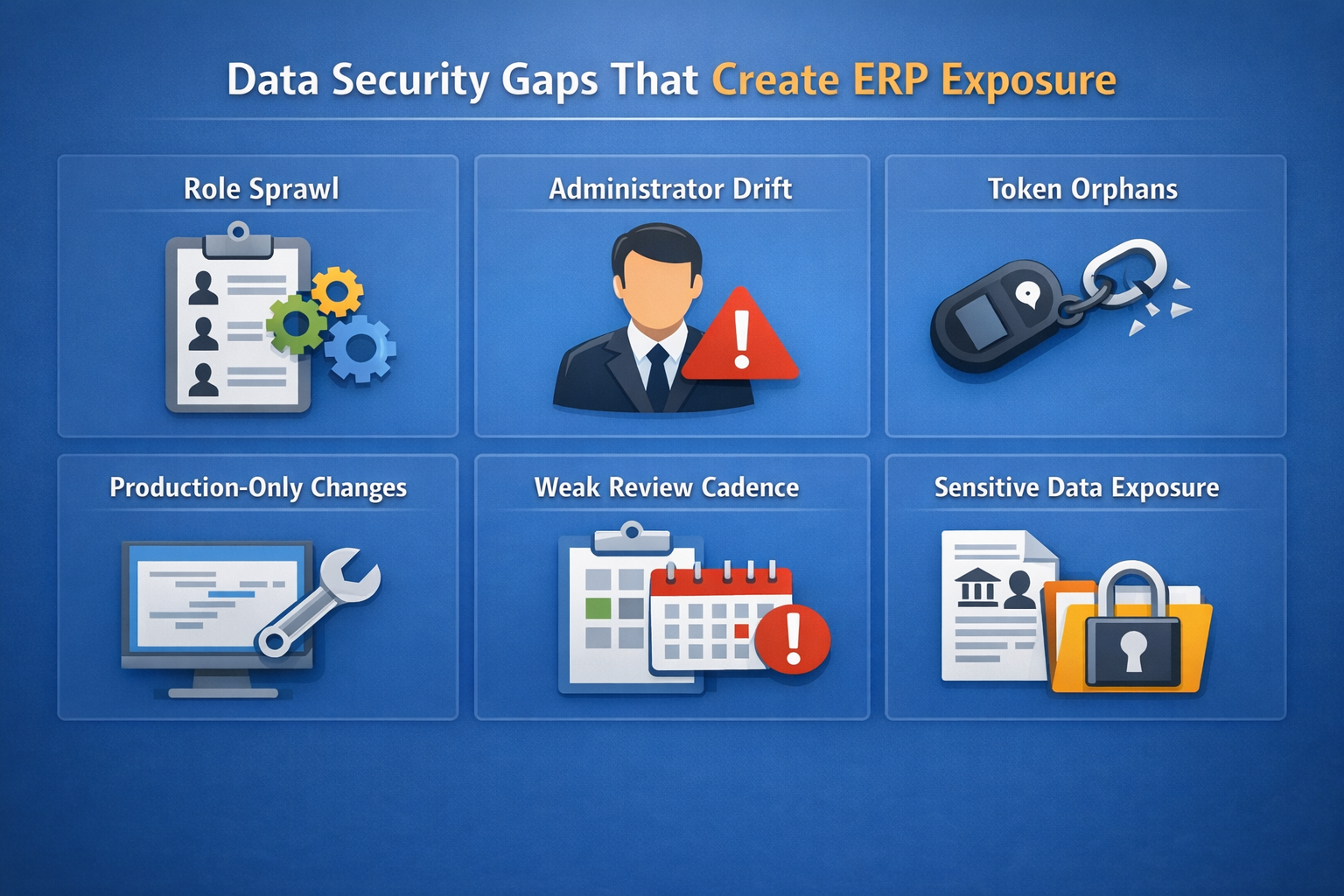
Role Sprawl: Review the custom role inventory, creation dates, role owners, and duplicate permission sets. Ten roles built for small variations of the same AP function usually signal weak access design and make role-based access review harder to maintain.
Administrator Drift: Compare the privileged access register with current projects, support contracts, and staff assignments. A consultant who still holds production administrator access after go-live is a direct exposure point, not a minor cleanup item.
Token Or Integration Orphans: Match the token inventory against active integrations, contract scope, and current owners. Tokens tied to former employees or retired middleware flows create hidden access paths during a breach or incident review.
Production-Only Changes: Inspect deployment logs and change tickets for evidence of direct edits in production. A workflow changed directly in production leaves no reliable proof that approvals, field visibility, or downstream integrations still behave correctly.
Weak Review Cadence: Check the date of the last access certification, integration review, script inventory review, and remediation update. Long gaps allow stale permissions, outdated policies, and unresolved exceptions to become normal operating conditions.
Sensitive Data Overexposure: Review export-capable roles, saved searches returning employee or banking data, shared file cabinet folders, and attachment permissions. Report access and file access often create more exposure than direct record edits.
A NetSuite security review works best when each request points to a specific record, report, log, or approval rather than a broad ask for “security evidence.” Vague requests usually lead to incomplete responses, mismatched formats, and extra follow-up before the real review can even begin. A tighter request list makes it easier to compare one review period to the next, identify missing evidence, and see whether controls are improving, drifting, or going unreviewed.
Access governance review should begin with the records that show who has access, how that access was approved, and whether those permissions still match current responsibilities. The purpose is not only to confirm that users have roles assigned, but to verify that access remains appropriate, documented, and current across normal operations, temporary exceptions, and organizational changes.
A strong evidence set should make it easier to spot stale permissions, unremoved access after transfers or departures, and privileged access that no longer has a valid business reason. When these records are incomplete or outdated, access review becomes harder to defend, and control gaps are easier to miss.
Role Matrix: Request a full role-permission matrix that shows standard roles, custom roles, restricted forms, approval abilities, export rights, and subsidiary or department limitations.
User-To-Role Listing: Ask for a current extract of every active NetSuite user, assigned roles, last login date, and status. This helps identify stale accounts, excess access, and duplicate role assignments.
Privileged Access Log: Review the list of administrator and high-power roles with business owner, approver, business reason, grant date, and next review date.
Access Certification Record: Request the last quarterly or periodic access review package, including what was changed, what exceptions remained open, and who approved the results.
Termination and Transfer Controls: Validate how user access is removed or changed after departures, internal moves, or contractor end dates. This is one of the most basic security controls, and it still fails often.
Customization and integration review should rely on records that show whether scripts, workflows, forms, bundles, and external connections were reviewed before release and whether they still operate under current security expectations.
This evidence matters because many NetSuite security issues do not start with direct user access alone. They often appear through workflow changes, script logic, release activity, token use, or older integrations that continue moving data long after the original implementation is complete.
A complete review set should show what changed, who approved it, how it was tested, and whether connected systems or custom logic are still governed in a controlled way.
For customizations, request:
Script inventory: Shows which scripts are active, who owns them, and where they may affect access, approvals, or data movement.
Workflow inventory: Identifies workflow logic that may alter approval routing, field behavior, or record visibility.
Bundle list: Helps confirm which third-party or packaged components are present in the account.
Custom form inventory: Shows where form-level changes may expose or hide fields for different roles.
Deployment log: Records when changes are moved into production and who deployed them.
Code review evidence: Confirms that script or workflow logic was reviewed before release.
Sandbox test script: Shows how the change was tested, which roles were used, and which control points were validated.
Release sign-off: Confirms that the final release was approved before the change became active in production.
For integrations, request:
Integration register: Identifies each connected system, its owner, authentication method, scope, and review date.
Token inventory: Shows which tokens are active, who owns them, and which integrations still rely on them.
Interface diagram: Maps inbound flows, outbound flows, middleware steps, and failure points.
Authentication method list: Shows whether each connection uses OAuth, token-based access, SSO-linked access, or another approved method.
Endpoint owner list: Confirms who is responsible for each external connection and its ongoing review.
Middleware or API error logs: Help identify failed syncs, unusual activity, or data movement issues that may affect integrity or security.
Migration plan for older connection patterns: Shows whether SOAP or other legacy integration methods are still in use and how they will be remediated.
Monitoring evidence should show more than the existence of reports. It should show that someone owns the review, that the review happens on a defined cadence, and that unusual activity leads to follow-up rather than sitting unanswered in a log.
A useful monitoring set connects each artifact to a reviewer, a schedule, and an expected response. Without that structure, reports may exist, but the review process still breaks down.
| Artifact | Owner | Review Frequency | What It Should Show |
|---|---|---|---|
| Failed login and lockout report | Identity or security owner | Daily or weekly | Repeated failures, unusual login timing, and privileged account issues that need validation |
| Role change log | ERP owner | Weekly or per release | Role edits, added permissions, removed restrictions, and whether approved change records exist |
| Privileged activity report | ERP owner and business approver | Weekly or monthly | Whether administrator activity matches approved support, release, or setup work |
| Integration error log | Integration owner | Weekly or daily during active projects | Failed syncs, unusual token use, and data movement issues affecting integrity or security |
| Open the remediation register | Control owner | Monthly until closure | Which findings remain open, who owns them, and whether retesting is complete |
Platform assurance records and customer-side control evidence should be reviewed separately so Oracle’s responsibilities do not get confused with the controls your team still owns inside the account. Vendor assurance may support broader risk review, but it does not replace account-level evidence for access, customization, monitoring, or remediation. A complete review should look at both layers together while still keeping them distinct in the evidence set.
For customer-side review, request the findings log, remediation tracker, retest evidence, status of open control issues, and any control mapping used for regulated processes. Together, these records show which control issues were identified, how they were classified, who owns remediation, whether corrective action was retested, and whether important findings remain unresolved across review cycles.
When regulated processes are in scope, control mapping should also link permissions, approvals, retention controls, and audit evidence to the compliance requirements that apply.
For vendor-side assurance, request Oracle’s available audit or certification materials through the appropriate channel when needed, then review them alongside your own access, customization, and remediation records. Looking at both sets together gives a more complete view of platform assurance and customer-managed control performance.
Read Next:
The strongest NetSuite environment is not the one with the longest control list. It is the one where access, authentication, customization, integrations, monitoring, and remediation are all governed in a repeatable way. This is the difference between a secure-looking setup and a secure operating model.
A mature security approach reduces the chance that one weak role, one overlooked token, or one rushed production change can expose sensitive data or break a critical control. For 2026, the real goal is to tighten the key security controls that actually shape day-to-day risk.
Start with Access Cleanup: Review powerful roles, stale users, export permissions, and role exceptions first because access errors are the fastest route to avoidable ERP exposure.
Treat Integrations As Security Boundaries: Inventory tokens, owners, authentication methods, and error handling so external systems do not weaken consistent data security across the ERP system.
Build Reviews Into Operations: Put quarterly access certifications, release security reviews, and remediation tracking on a fixed schedule so the environment does not drift between audits.
The work becomes more manageable when security ownership, system review, and operational follow-through live in one rhythm instead of being scattered across teams.
Kimberlite Partners helps businesses evaluate NetSuite security posture through NetSuite Health Check and ongoing NetSuite Managed Services, with certified NetSuite expertise focused on configuration quality, control design, and long-term system performance.
Schedule a free consultation to review your NetSuite security posture and identify control gaps before they affect audit readiness, release quality, or day-to-day operations.
NetSuite provides encryption, role-based access, authentication controls, audit trails, and operational monitoring as part of its platform security model. NetSuite’s security on the vendor side is strong, but the overall security of your NetSuite instance still depends on customer-managed controls such as role design, approval boundaries, token governance, saved search exposure, file access, and regular security reviews.
Yes. NetSuite offers multi-factor authentication and requires two-factor authentication for administrator and other highly privileged roles. MFA adds an extra layer of security, but the review should also confirm whether finance approvers, payroll-related access, integration admins, and other high-risk roles are protected to the same standard.
NetSuite provides encryption, role-level access, password policies, authentication controls, and audit capabilities. Protecting NetSuite data in practice also requires customer-side controls over saved searches, CSV exports, attachments, API roles, integrations, and retention rules for data stored inside and outside the ERP.
Role-based access control in NetSuite means permissions are assigned through roles instead of direct permission grants to each user. Each role controls access to records, transactions, pages, reports, and setup tasks. A strong RBAC model uses narrow permissions, clear business purpose, subsidiary restrictions where needed, and regular access certification.
NetSuite is externally audited to SOC 1 Type 2 and SOC 2 Type 2 and maintains certifications including ISO 27001, ISO 27018, PCI DSS, and PA-DSS. These certifications support vendor review, platform assurance, and broader security compliance work. Customer-side evidence is still needed for role governance, customization control, and regulatory compliance inside your own account.
Yes. Oracle documents IP-address-based restrictions that can limit role or account access to approved addresses. This control is useful for some vendor support paths, external administration, and selected integration administration scenarios. IP restriction works best alongside MFA, role-based access control, and regular review of powerful roles.

68% of data breaches stem from human error, compromised credentials, or insufficient access controls. For organizations relying on NetSuite, this...

Are you ready to conquer NetSuite? Consider this guide your ultimate weapon. We'll help you navigate the complexities and show you how to:

Today’s businesses rely on a mix of digital tools like CRMs, eCommerce platforms, and accounting software to operate efficiently. When these systems...