
Why Every Struggling Customer Needs a NetSuite Health Check
Is your NetSuite environment helping your business scale, or quietly holding it back? When dashboards lag, reports conflict, or workflows fail, it’s...
12 min read

NetSuite is a powerful, cloud-based ERP platform designed to unify core operations across finance, supply chain, customer service, and more. But implementation alone does not guarantee results.
In Panorama Consulting Group’s 2026 ERP Report, 30% of organizations said their ERP project finished over budget, including 7.1% that said it finished significantly over budget. When an implementation leaves teams relying on spreadsheets, manual workarounds, and disconnected tools, reimplementation becomes a serious option.
A reimplementation gives you a chance to realign the system with current workflows, reporting needs, and growth plans. When done well, it can restore trust in the system, improve adoption, and put your ERP back to work across finance and operations.
This Guide Covers
How to tell optimization is no longer enough
Which workflows, data, and modules to rebuild first
What to validate before testing, training, and go-live
Kimberlite Partners helps companies determine whether an existing NetSuite environment needs refinement, rescue, or a full rebuild. Book your NetSuite Health Check today to surface workflow, data, and integration issues before they turn into another expensive implementation cycle.
|
Reimplementation Decision Point |
What To Confirm |
|---|---|
|
Current-state workflow review |
Identify where teams bypass NetSuite, duplicate entry, or wait on manual approvals that should live inside the ERP. |
|
Module fit assessment |
Confirm which modules support current operations and which ones add complexity without supporting finance, supply chain, CRM, or service workflows. |
|
Chart of accounts redesign |
Check whether reporting depends on spreadsheet manipulation because the account structure no longer supports the business. |
|
Data migration controls |
Validate field mapping, duplicate cleanup, reconciliation rules, and cutover timing before moving any legacy data. |
|
Customization cleanup |
Separate business-critical scripts and workflows from technical debt that slows changes and complicates support. |
|
Integration ownership |
Document each system connection, error path, and business owner so broken syncs do not derail go-live. |
|
Role-based readiness |
Confirm that NetSuite users, approvers, and support owners know their tasks before launch and during stabilization. |
A NetSuite Reimplementation usually becomes necessary when the same operational failures keep resurfacing across finance, reporting, and day-to-day execution. The issue is rarely one broken workflow. It is usually a NetSuite instance that no longer supports how the business actually runs. A structured NetSuite Health Check can help separate isolated fixes from deeper implementation problems.
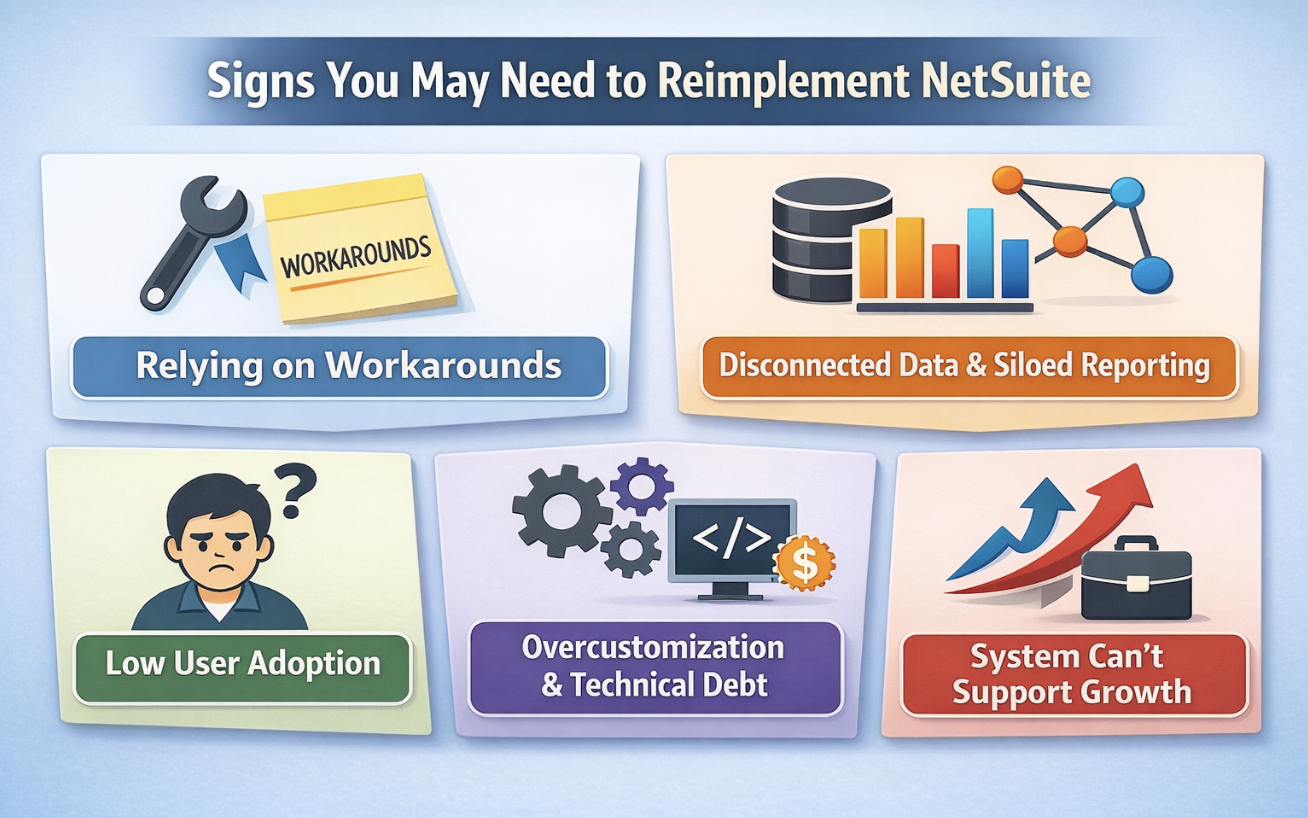
There are several signs that your current NetSuite configuration is not meeting your needs. One of the most common issues is that employees struggle to complete basic tasks using the system. When core operations, such as invoicing, procurement, or inventory tracking, require excessive manual workarounds, something is broken. This indicates a fundamental misalignment between your processes and the software’s setup.
When teams rely on external tools and spreadsheets for work that should happen inside NetSuite, the implementation is strategically off track. At that point, the platform is slowing work down instead of supporting it.
Another red flag is the overuse of spreadsheets or disconnected tools to manage what should be centralized inside NetSuite. If your teams are constantly exporting data just to generate reports or reconcile numbers, your system is not delivering accurate or timely insights. Over time, this creates data silos and reduces confidence in the system's reporting capabilities.
This is particularly problematic for leadership teams that depend on real-time data to steer company strategy. Without a unified ERP system, you face increased risk in decision-making and slow reaction times in volatile markets.
Low user adoption often reveals deeper problems. If employees resist using the system or require frequent support to perform simple operations, it's usually because the original implementation didn't reflect real workflows or lacked proper training. Without tailored roles, intuitive dashboards, and relevant automations, users won’t embrace the platform fully.
When users disengage from your NetSuite system, productivity declines and data quality deteriorates. This kind of challenge must be addressed with technical fixes, stakeholder engagement, and better support.
Excessive customization is another sign of trouble. While NetSuite is flexible, too many custom scripts and add-ons often signal that the original system was not configured properly. This technical debt can slow down performance, introduce errors, and make future updates risky or expensive.
Unwinding this technical complexity isn’t easy, but it creates an opportunity to rebuild the ERP system with greater simplicity and better long-term performance.
Lastly, business changes may outpace your ERP setup. Whether due to acquisitions, new product lines, or evolving customer expectations, your business needs a system that grows with it. If the original implementation is outdated, you may find that it hinders rather than helps your transformation.
This misalignment becomes even more pronounced when your business needs new features, improved reporting, or stronger integrations that were never designed into the original rollout. Reimplementation allows you to address those gaps with a more durable approach.
Reimplementation creates value only when it corrects structural issues in workflow, data, reporting, and governance. If the underlying design is wrong, a fresh launch only helps when those decisions are fixed. That is what turns a failed implementation into a stronger enterprise resource planning foundation.
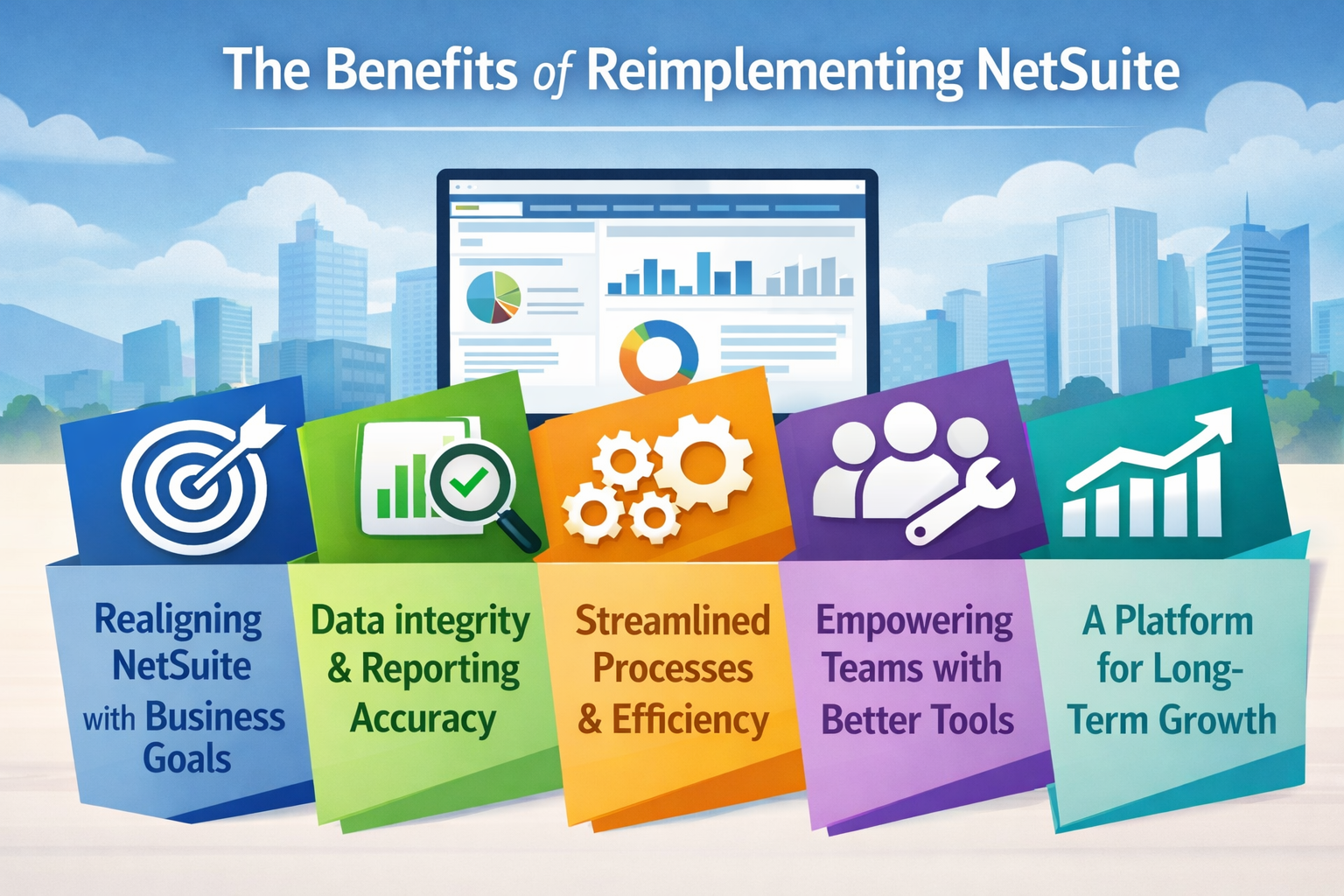
Reimplementing NetSuite provides an opportunity to simplify, streamline, and scale your ERP environment. It's a chance to clean the slate and build a system that supports today’s workflows and tomorrow’s objectives.
The first major benefit is improved configuration. During the reimplementation process, you can realign your NetSuite configuration to reflect how your business currently operates. This ensures that workflows are efficient, permissions are logical, and dashboards support decision-making.
Aligning your NetSuite system with your current business needs eliminates friction in daily operations and provides clarity in both execution and strategy.
You can significantly improve data integrity by carefully planning your data migration. Cleaning historical records, eliminating duplicates, and enforcing validation rules establishes a solid data foundation. Accurate data enables timely and insightful reporting, which is crucial for strategic planning and performance tracking.
The long-term benefit is better visibility across departments and faster decisions without constant questions about report accuracy.
The opportunity to streamline business processes can’t be overstated. Reimplementation allows you to automate repetitive tasks, simplify approvals, and enhance efficiency. As a result, employees can focus on higher-value responsibilities, while customers benefit from faster, more consistent experiences.
This contributes directly to increased productivity, fewer operational bottlenecks, and better customer satisfaction. Your teams spend less time fixing or questioning the system and more time using it.
Reimplementation empowers employees by providing tools that actually support how they work. With better role-based access, real-time dashboards, and user-friendly interfaces, adoption increases, and frustration decreases. The result is a culture of trust in the system and a greater ability to respond to change.
When users feel the NetSuite system supports their work, they are far more likely to rely on it consistently.
Finally, a well-planned reimplementation ensures your ERP becomes an engine of growth. Instead of reacting to problems, you can proactively scale, extend, and optimize your system as your company expands. This is a platform for long-term digital transformation.
That transformation depends on a system that evolves with your business and supports better decisions across departments.
Many teams spend months optimizing an environment that is broken at the architecture level. A few report updates or workflow changes can help a healthy NetSuite project, but they will not fix a chart of accounts that no longer supports reporting, module choices that never matched operations, or integrations that continuously create bad data. The decision should come from evidence in your existing NetSuite instance.
Deciding between NetSuite optimization and reimplementation comes down to scope and impact. Optimization involves improving what you already have, such as updating saved searches, adjusting workflows, or refreshing reports. It works well when your system is mostly sound but needs refinement.
However, in many cases, businesses face deeper systemic challenges that optimization alone can't fix. If workflows are fundamentally misaligned or integrations have been poorly constructed, a more comprehensive reset may be necessary.
Optimization won’t fix foundational issues. If your business processes have evolved significantly or your reporting is no longer accurate, minor updates are insufficient. If you're facing widespread user frustration, limited reporting capabilities, and excessive manual data entry, you’re likely dealing with systemic flaws that require a fresh start.
When inefficiency spreads across teams and productivity continues to suffer, a full reimplementation is usually the better path.
Conduct a system audit. If your current NetSuite setup is more of a hindrance than a help, reimplementation allows you to align the system with how you actually do business today. With the right expertise, it becomes a structured transformation initiative.
It also prepares the business for the future by giving you an ERP foundation that is more responsive, scalable, and aligned with long-term needs.
The fastest way to decide between optimization and reimplementation is to review the artifacts that show how the current environment was designed and how it performs today. This applies whether you support finance, supply chain, customer relationship management, or professional services automation. If these items are incomplete, outdated, or constantly disputed, the case for reimplementation gets stronger.
Workflow Maps: Compare order-to-cash, procure-to-pay, service delivery, and close activities against the live system to find where teams bypass NetSuite or maintain parallel steps outside the ERP.
Chart Of Accounts Design: Check whether account structure, segments, departments, classes, and locations still support reporting without manual rework or spreadsheet-based consolidation.
Customization Inventory: Review scripts, workflows, custom fields, forms, and bundles to separate essential business logic from technical debt that should be retired.
Module And Integration Footprint: Confirm which Oracle NetSuite modules, third-party tools, and data feeds are still used, where ownership sits, and where failed handoffs cause duplicate entry or reporting gaps.
Open Support Issues: Pull recurring tickets, user complaints, and reconciliation problems to see whether the pain is isolated or spread throughout the NetSuite implementation.
Read Next:
15 Key Areas to Review in Your NetSuite Optimization Checklist
Why Every Struggling Customer Needs a NetSuite Health Check
A successful NetSuite Reimplementation depends on disciplined decision-making throughout the NetSuite implementation. You need a clear implementation roadmap, accountable owners, and enough testing evidence to prove the new design works before go-live. The strongest reimplementation approach removes legacy noise and rebuilds only what the business actually needs.
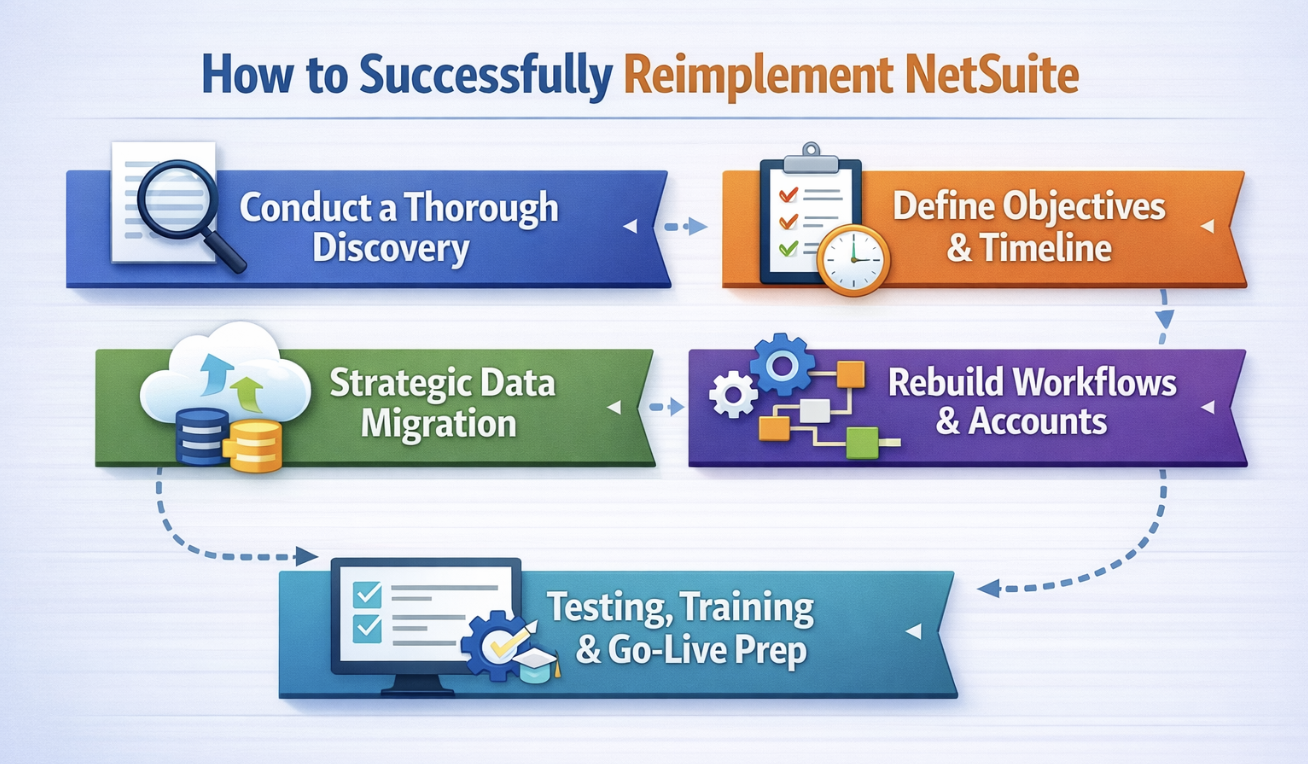
Every successful NetSuite reimplementation starts with a focused discovery phase. This isn’t only about auditing system configurations. It also requires listening, observing, and mapping how your business really operates today. Bring in stakeholders from across departments to participate in interviews, workshops, and process walkthroughs. Their insights reveal friction points and inefficiencies that may have been overlooked in the initial implementation.
Discovery is your chance to align your system with actual business needs. Identify what’s working, what’s outdated, and what needs to evolve. From workflow mapping to permissions review, this step helps uncover gaps and sets the direction for a more effective configuration.
Reimplementation without clear goals is like building a house without a blueprint. You need to define specific, measurable objectives that align with business priorities. Are you aiming to improve reporting accuracy, shorten order-to-cash cycles, or reduce manual work in procurement? These goals will guide every design and deployment decision.
Equally important is setting a realistic timeline. A reimplementation is a major undertaking and should be paced to balance progress with minimal disruption. Factor in time for testing, user feedback, and internal readiness. A well-structured timeline builds accountability and helps your teams stay aligned throughout the project.
Your implementation roadmap should also show who approves scope changes, who owns each implementation phase, and what must be signed off on before the next phase begins. Without that structure, reimplementation projects drift, timelines slip, and cost overruns become harder to control. A named project manager should own decision deadlines, issue escalation, and cross-functional dependencies from discovery through go-live.
Data migration can make or break your reimplementation. Simply porting over old data without scrutiny risks carrying legacy problems into your new system. Instead, treat this as an opportunity to cleanse and standardize your records. Validate data sources, remove duplicates, and structure your data to support more reliable reporting and automation.
This step is strategic because clean, trusted data supports analytics, user confidence, and efficient processes. Planning your migration early reduces risk and sets your reconfigured NetSuite environment up for long-term success. It also ensures that when the system goes live, it delivers clarity from day one.
Ask to see field mapping documents, mock conversion results, reconciliation rules, and the cutoff plan for final migration. Those artifacts show whether data migration is ready for production or still depends on manual cleanup after launch.
A complete reimplementation should not start by copying every workflow and module from the old NetSuite instance. First, decide which processes belong in the default NetSuite, which truly require customization, and which should be retired altogether. Teams often repeat the original error by preserving broken approvals, duplicate fields, and reports nobody trusts simply because they already exist. A stronger reimplementation approach maps the new design to current business priorities and rebuilds only the components that support them.
Pay special attention to the chart of accounts and to any module decisions made during the first implementation project. A weak chart of accounts forces finance teams to rely on exports for management reporting, while weak module choices create gaps across inventory, professional services, customer relationship management, and billing. If you are rebuilding Oracle NetSuite after a failed implementation, confirm which modules are active, which are underused, and whether a native workflow can replace custom logic. This is also the point where NetSuite Customization Services can help you keep only the custom work that adds clear operational value.
A reimplementation can still miss the mark if the handoff into testing and deployment is weak. You need clear proof that NetSuite users can complete core tasks with accurate data and stable integrations before go-live. If the project depends on e-commerce, payroll, warehouse, or CRM connections, treat them with the same rigor you would expect in a formal NetSuite Integration Services plan.
Integration Inventory: Document every inbound and outbound integration, frequency, error handling, and business owner so a broken sync does not derail finance, ecommerce, payroll, or CRM activity after launch.
Test Evidence: Build scripts around real business scenarios, capture pass or fail status, track open defects, and confirm that converted balances reconcile before sign-off.
Role-Based Training: Give NetSuite users training by job function, form, dashboard, and exception path so that go-live support is not overwhelmed by basic transaction questions.
Cutover Plan: Define final migration timing, system freeze rules, approval owners, and rollback criteria so the implementation partner and internal project manager stay aligned.
Post-Launch Support: Assign named resources for triage, enhancement intake, and reporting fixes during stabilization so issues are resolved before users return to workarounds.
Read Next:
NetSuite Sandbox vs. Production Environment: Are You Testing the Right Way?
Connecting NetSuite ERP to Your Tech Stack: Best Practices for NetSuite Integration
Most reimplementation projects do not fail because Oracle NetSuite lacks capability. They fail because teams repeat the same planning, data, and governance mistakes that damaged the original implementation project. Each pitfall below creates a specific form of performance drag, whether that shows up as cost overruns, weak adoption, or unstable go-live results.
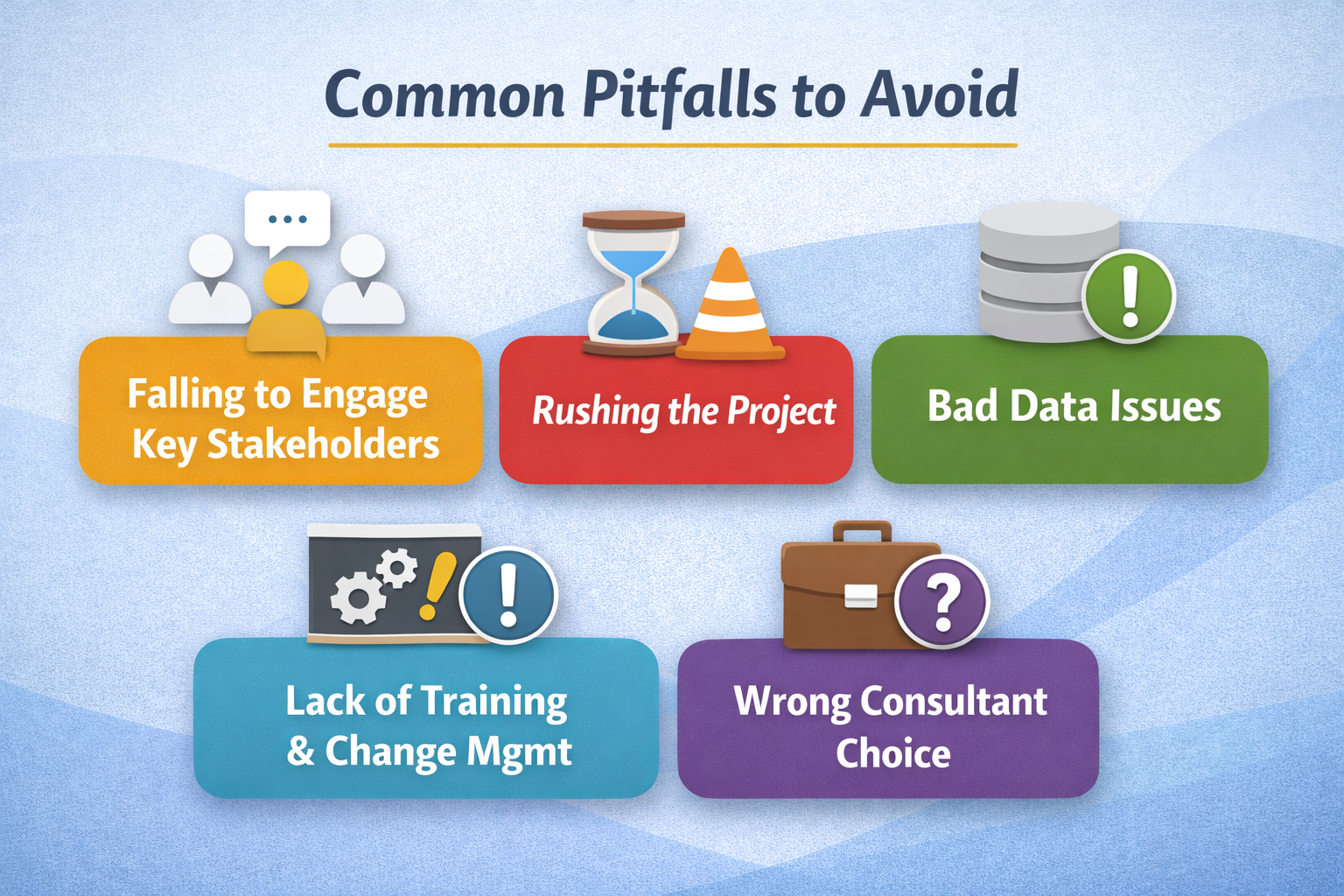
Excluding key stakeholders is one of the most avoidable causes of failure in a NetSuite reimplementation. These individuals understand the nuances of daily operations and strategic objectives. Without their input, the system may be built on flawed assumptions or overlook essential needs, resulting in misalignment, costly rework, and lower adoption rates. Early involvement fosters buy-in and ensures the system is designed to function effectively across departments.
Reimplementation is a significant undertaking that demands careful execution. Trying to accelerate timelines by skipping steps like detailed discovery, full-scale testing, or structured user training can lead to instability and widespread errors. A rushed approach might get you to go-live faster, but it often results in higher post-launch support costs and user dissatisfaction. Thorough preparation leads to smoother, more sustainable outcomes.
Poor data is a hidden threat that can sabotage even a technically sound ERP system. If bad data is migrated into your reconfigured NetSuite environment, it can cause inaccurate reporting, transactional errors, and user distrust. Cleaning, validating, and standardizing your data should be a top priority. This protects system integrity and supports reliable decision-making.
No ERP system delivers value if users aren’t confident in how to use it. Providing comprehensive training tailored to roles and responsibilities helps users engage with the system effectively. But training alone isn’t enough. Change management must be a continuous effort, communicating the benefits of the reimplementation, addressing concerns, and building system champions across teams. Without it, even the best configuration may fail to gain traction.
A NetSuite reimplementation is too important to hand off to generalists. You need an expert who brings both technical depth and real-world business insight. The right consultant will help you reconfigure NetSuite to support current workflows, future growth, and long-term scalability. Look for a partner with proven methodologies, strong client references, and a hands-on approach to guiding your team through the entire process.
Read Next:
Why Most NetSuite Implementations Fail (and How to Fix Them)
NetSuite Project Recovery: How to Rescue a Failing NetSuite Implementation
A good reimplementation decision is specific. You should know which workflows are broken, which data structures need redesign, which module choices need to change, and which partner responsibilities must be clarified before a new statement of work is signed.
Build an Evidence Pack: Collect process maps, integration inventory, recurring support issues, failed reports, and defect patterns so the case for reimplementation is grounded in facts.
Set Decision Boundaries: Define what will be rebuilt, what will be optimized, what legacy customizations will be retired, and which business units must join discovery.
Assign Accountable Owners: Name executive sponsors, process owners, finance reviewers, and project manager responsibilities before partner selection and implementation phases begin.
That groundwork makes partner conversations sharper and reduces the odds of repeating the same design mistakes under a new timeline.
Kimberlite Partners helps companies use a NetSuite Health Check or Rapid NetSuite Implementation Rescue engagement to pinpoint where a NetSuite project went off course and what a cleaner reimplementation approach should include. Book your Health Check today and get a clear starting point for rebuilding Oracle NetSuite without repeating the same process, data, and go-live failures.
If NetSuite feels more like a barrier than a backbone, a clean re-implementation is the fastest way back to efficiency. Kimberlite Partners' DiamondCare Services focuses on rescuing under-performing NetSuite environments, deploying senior-level consultants who rebuild your ERP around the way you actually work.
Their engagement starts with a complimentary NetSuite Health Check, an in-depth audit of performance, configuration, and data quality, so you know exactly where gaps lie and how to close them. From there, Kimberlite Partners delivers hands-on reconfiguration, optimization, and ongoing managed services that keep your system evolving in step with the business.
Book your NetSuite Health Check today at Kimberlite Partners and let us turn your ERP into the growth engine it was meant to be
Search behavior around NetSuite Reimplementation often extends beyond the rebuild decision itself. Buyers also want direct answers on failure rates, project difficulty, and the conditions that push ERP projects off track.
Published figures vary, but a meaningful share of NetSuite projects miss their original goals, exceed timelines, or require recovery work later. The more useful question is whether your project has clear scope, clean data, accountable testing, and strong user adoption.
Failure rate depends on how failure is defined. Some projects fail outright, while others go live but still force users into spreadsheets, manual reconciliations, and support-heavy workflows that later trigger a rebuild.
The usual causes are weak scoping, poor data quality, low stakeholder involvement, unclear ownership, and rushed testing. In a NetSuite project, those issues show up as manual workarounds, unreliable reports, delayed approvals, and low confidence in the system.
ERP projects cut across finance, operations, integrations, reporting, and change management at the same time. That means the project manager is coordinating business decisions, technical dependencies, training, and executive expectations, not simply overseeing software configuration.
The most serious failure factors are poor project management, ineffective process design, weak consultant fit, and bad data carried into the new environment. When those issues overlap, teams usually see cost overruns, unstable go-live results, and a longer path back to a trusted ERP.
Common challenges include scope creep, role confusion, integration defects, chart of accounts design issues, and resistance from users who do not see the new workflow as an improvement. Strong discovery, realistic implementation phases, role-based training, and clear cutover ownership help control those risks.

Is your NetSuite environment helping your business scale, or quietly holding it back? When dashboards lag, reports conflict, or workflows fail, it’s...

5 min read
Most NetSuite implementations don’t fail because of technical issues. They fail because users never adopt the system. According to Gartner, by 2027

7 min read
CIOs and CFOs face a pivotal decision when it comes to ERP performance. According to Gartner, over 70% of ERP implementations fail to deliver...